


How to refund a Steam game
Valve will refund most Steam purchases for any reason if you ask in time and, for games, if you have played less than two hours. Here are the official rules, and where to ask.
The short version
You ask at Steam Support. Valve’s own words: it will, upon request, “issue a refund for any reason, if the request is made within the required return period, and, in the case of games, if the title has been played for less than two hours.”
For games and software bought on the Steam store, that offer is within two weeks of purchase and less than two hours of playtime.
If you fall outside those rules, Valve says you can “ask for a refund anyway and we’ll take a look.” That is not a promise that the refund will be issued. Photite cannot promise it either.
A refund, once approved, is issued within a week, in Steam Wallet funds or through the same payment method you used. If Steam cannot refund the original method, the Wallet is credited. Some payment methods are wallet-only; Valve keeps a list at store.steampowered.com/steam_refunds_methods.
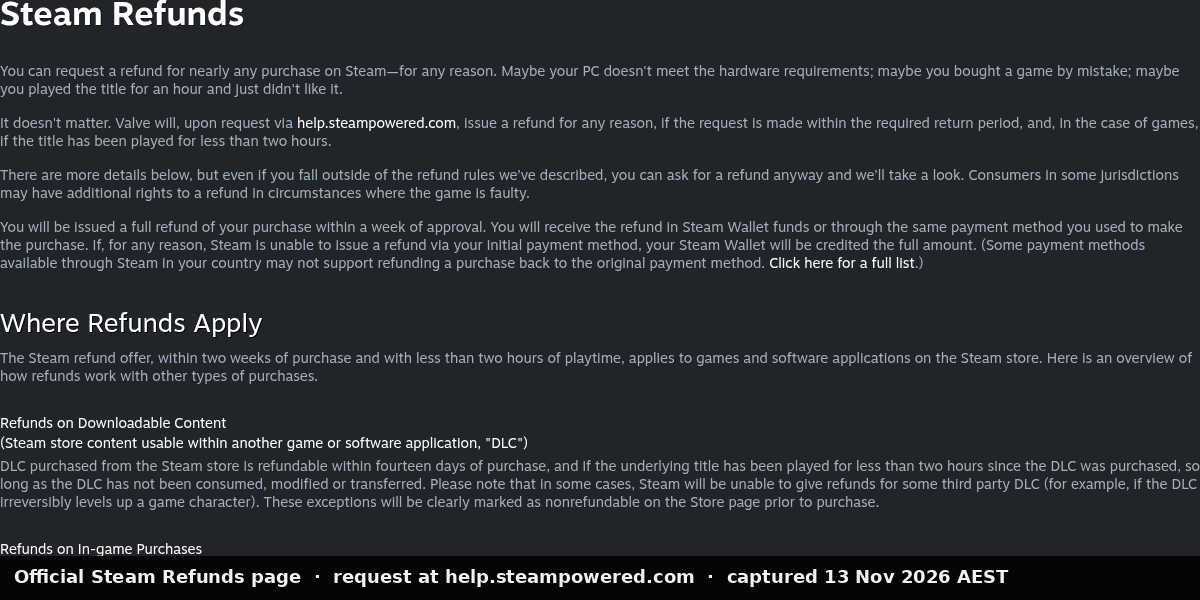
Valve’s own words: it will, upon request, “issue a refund for any reason, if the request is made within the required return period, and, in the case of games, if the title has been played for less than two hours.”
For games and software bought on the Steam store, that offer is within two weeks of purchase and less than two hours of playtime.

That official page itself says last updated 23 April 2024.
How to request it
Valve’s official instruction is: request a refund or get other assistance at help.steampowered.com.
Open that site, sign in, and choose the purchase you want help with. We are not listing the logged-in wizard’s button names here until we have photographed the current Steam Support screens on a Photite-owned account, with personal details cropped out, so the steps cannot go stale or be wrong.
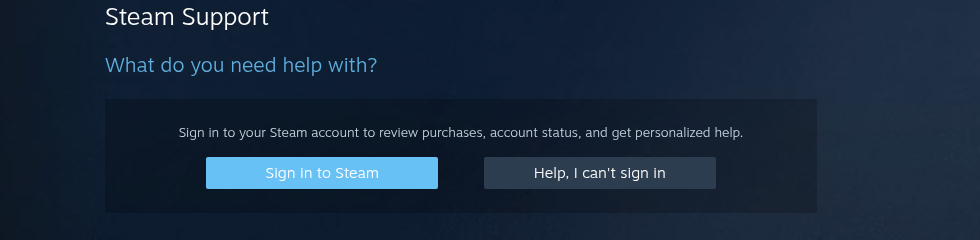
Valve’s official instruction is: request a refund or get other assistance at help.steampowered.com. Open that site, sign in, and choose the purchase you want help with.
What the two-week / two-hour offer covers, and what it does not
All of the following is from Valve’s refunds page, not from forum advice.
- Games and software on the Steam store: two weeks, and less than two hours of playtime, for any reason.
- DLC: fourteen days, and the underlying title played less than two hours since the DLC was purchased, and the DLC has not been consumed, modified or transferred. Some third-party DLC is marked nonrefundable on the Store page before you buy.
- In-game purchases: in Valve-developed games, 48 hours if the item has not been consumed, modified or transferred. In third-party games, only if the developer opted in — Steam tells you at purchase. Otherwise they are not refundable through Steam.
- Pre-purchase / unreleased: you can request a refund at any time before release if the title is not playable yet. The two-hour limit applies to any playtime (including Early Access; beta testing is the stated exception). The 14-day period starts on the release date.
- Steam Wallet funds: fourteen days, if you bought them on Steam and have not used any of them.
- Renewable subscriptions: 48 hours from the initial purchase or from an automatic renewal, if unused this billing cycle. You can cancel a subscription at any time in account details; access continues to the end of the current cycle.
- Bundles: full refund if no items have been transferred and combined usage is less than two hours. If a bundle includes a nonrefundable item, Steam tells you at checkout whether the whole bundle is refundable.
- Gifts: unredeemed gifts, standard 14-day / two-hour rule. Redeemed gifts: the recipient initiates; funds return to the original purchaser.
- Purchases made outside Steam (CD keys, third-party wallet cards): Valve cannot refund them. For legal storefronts that sell keys, see Cheap PC games in Australia, without grey-market keys.
- VAC bans: if you are VAC-banned on a game, you lose the right to refund that game.
- Video content: not refundable, unless it is in a bundle with other refundable (non-video) content.
- Abuse: Valve may stop offering refunds if it thinks you are abusing them. Buying just before a sale and rebuying at the sale price is not treated as abuse.
- Faulty games: consumers in some places may have extra rights when a game is faulty. Valve points to a separate EU withdrawal explanation. Australian consumers may also have rights under the Australian Consumer Law — we are not giving legal advice. The ACCC explains repair, replacement and refund remedies at Repair, replace, refund, cancel. If a game is not as described or does not work, say so clearly in the Steam Support request.
Common questions
Can I refund after two hours, or after two weeks? You can ask. Valve says it will “take a look.” That is not a promise.
What about a gifted game? If it is unredeemed, the usual 14-day / two-hour rule applies. If it has been redeemed, the recipient starts the request and funds return to the original purchaser.
What this guide is not
It is not a way to get a free game. It is not a promise. Photite is not Steam Support. This is not legal advice. Australian consumers may have rights under the Australian Consumer Law; the ACCC explains repair, replacement and refund remedies, in general terms, at Repair, replace, refund, cancel. If Valve’s page and this guide ever disagree, believe Valve’s page and tell us via Corrections so we can update.
Related on Photite: YouTube Short: How to refund a Steam game you don't like. Also: PlayStation Store refunds in Australia and Cheap legal PC games in Australia. A step-by-step click-through Short is in preparation and will be linked here once it is live.
Sources
- Steam Refunds (last updated 23 April 2024, re-read 13 November 2026, AEST)
- Steam Support
- ACCC: Repair, replace, refund, cancel (re-read 13 November 2026, AEST)
Spotted a mistake? Corrections.