


How to request a PlayStation Store refund in Australia
Sony’s official Australian offer is 14 days, and only if you have not started downloading or streaming — unless the content is faulty. Here is the official checklist, and what Sony’s court-ordered notice says about Australian Consumer Law.
The short version
On Sony’s official Australian how-to, a full game, DLC or season pass can be refunded if two things are true, unless the content is faulty: you have not started downloading or streaming it, and you ask within 14 days of purchase.
That is a tighter change-of-mind offer than Steam’s. Starting the download is enough to lose the ordinary 14-day refund.
If the game is faulty, the official checklist already says “unless the content is faulty.” Australian consumers may also have rights under the Australian Consumer Law that do not expire just because a digital good has been downloaded. That is Sony’s own published wording from a court-ordered notice, quoted below. This is not legal advice, and Photite cannot promise a refund.
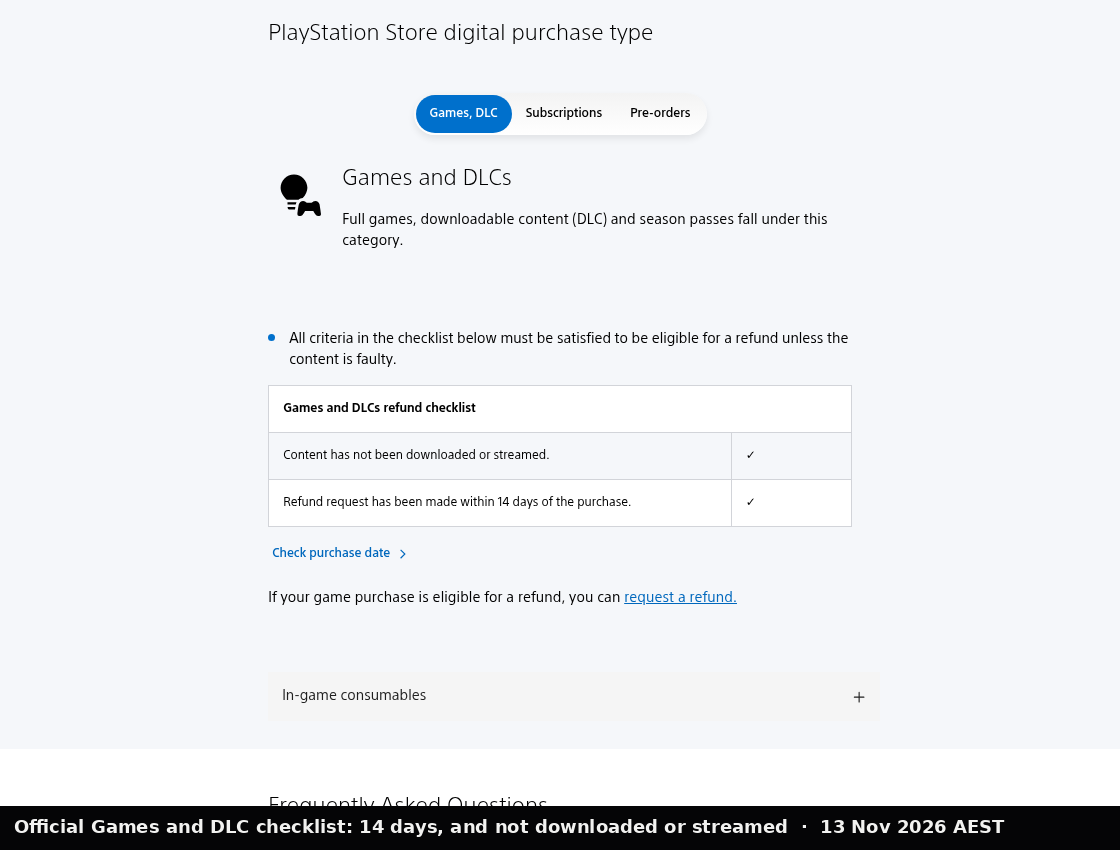
| Change of mind | You have not started downloading or streaming it, and you ask within 14 days of purchase. |
|---|---|
| Faulty content | The official checklist already says “unless the content is faulty.” |
How to request a refund
Sony’s official Australian how-to, re-read 13 November 2026, AEST, says:
- Open your Order details and select an eligible transaction.
- Select Request Refund and follow the on-screen instructions.
If you still have issues, contact PlayStation Support. Sony also says you can use the online assistant on that page to check eligibility. We are not inventing extra button names beyond what that official page shows.
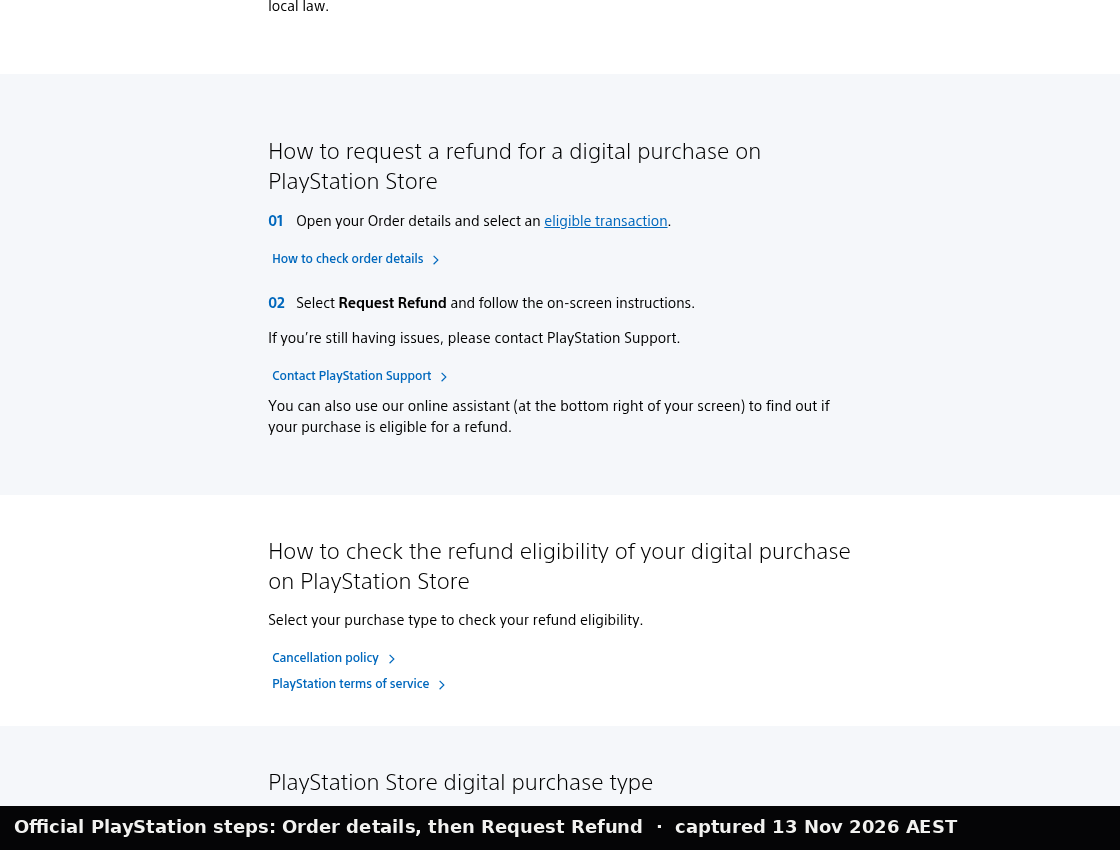
- Open your Order details and select an eligible transaction.
- Select Request Refund and follow the on-screen instructions.
What the official Australian policy covers
The PlayStation Store cancellation policy (Australia) matches the how-to, and adds detail. In Sony’s words, you can cancel a game or add-on within 14 days and receive a refund “provided that you have not started downloading or streaming it.” Games or add-ons that you have started downloading or streaming “are not eligible for a refund unless they are faulty.”
The same official policy also covers:
- In-game consumables (for example virtual currency): if you buy them on the Store outside gameplay, you have up to 14 days if you have not launched the game; if they are delivered, you are not eligible unless they are faulty. Bought during gameplay, they are delivered immediately.
- Season passes: 14 days, unless you have started downloading or streaming any digital items in the pass, except where the content is faulty.
- Pre-orders: if you have not started downloading or streaming the main part, you may cancel before release if you paid more than 14 days before release, or up to 14 days after payment if you paid 14 days or less before release. Immediate extra content stops working if you cancel.
- Wallet top-ups and voucher codes bought outside PlayStation Store: the official policy says wallet top-ups and outside vouchers are not cancelled through this Store process in the same way — contact the retailer for a voucher, and read the official policy for wallet funds.
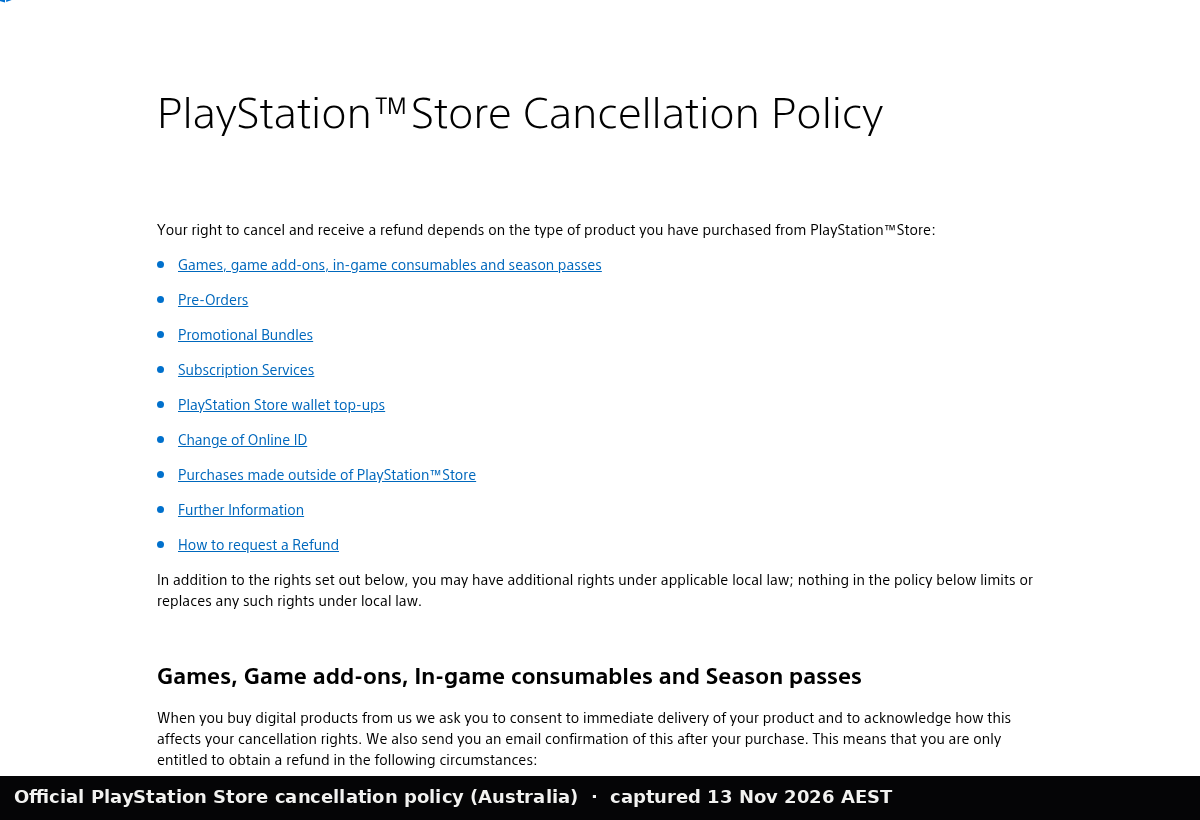
In Sony’s words, you can cancel a game or add-on within 14 days and receive a refund “provided that you have not started downloading or streaming it.” Games or add-ons that you have started downloading or streaming “are not eligible for a refund unless they are faulty.”
Sony’s how-to also says a refund may arrive in 10 days, usually to the original payment method, or to the wallet if that is not possible.
Australian Consumer Law, in Sony’s own published words
Sony publishes a corrective notice ordered by the Federal Court of Australia. We are quoting that notice, not giving legal advice.
The notice says games purchased by Australian consumers “come with consumer guarantee rights under the ACL which cannot be excluded,” and that:
- “your consumer guarantee rights do not expire after a digital good has been downloaded;”
- “the ACL confers rights on consumers to obtain redress directly from suppliers; and”
- “refunds must be given in the form of the original payment unless you opt to receive store credit.”
The official cancellation policy itself also says you may have additional rights under applicable local law, and that nothing in the policy limits or replaces those rights. The ACCC explains consumer-guarantee remedies, in general terms, at Repair, replace, refund, cancel. If you believe a game is faulty, say so clearly when you contact PlayStation Support.
Common questions
I already started the download. Can I still get a change-of-mind refund? Not under Sony’s ordinary 14-day offer. The official pages say that once you have started downloading or streaming, the purchase is not eligible unless it is faulty, or unless other rights under local law apply.
How is this different from Steam? Steam’s ordinary offer is two weeks and under two hours of play, for any reason, including that you simply did not like the game. PlayStation’s ordinary Australian offer does not survive the start of a download. See How to refund a Steam game.
What this guide is not
It is not legal advice, and it is not a promise that Sony will issue a refund. If Sony’s official pages and this guide ever disagree, believe Sony’s pages and tell us via Corrections.
Related: How to refund a Steam game · Xbox Game Pass prices in Australia
Sources
- How to request a refund for a purchase on PlayStation Store (Australia, re-read 13 November 2026, AEST)
- PlayStation Store cancellation policy (Australia) (re-read 13 November 2026, AEST)
- Corrective notice ordered by the Federal Court of Australia (re-read 13 November 2026, AEST)
- ACCC: Repair, replace, refund, cancel
Spotted a mistake? Corrections.